01 · Order
 Onigirice
For the people who keep service moving
The rush won’t wait.
Your operation has to keep up.
From ordering to the kitchen, from the counter to collection: Onigirice connects your tools around the way you work.
✓ Your order workflow✓ Your choice of modules✓ Your compatible equipment
01 — 04Customer choices travel with the order.Follow an order ↗
Your service sets the rules.
Not your software.
Start with the essentials. Enable more when you need it.
One order. A whole team.
From the first choice to the final handover.
An inviting menu. Choices kept simple.
Options, included or extra sauces, reheating: your catalogue guides the journey.
Illustrative interfaces · demo data · configurable workflow
1 sauce included
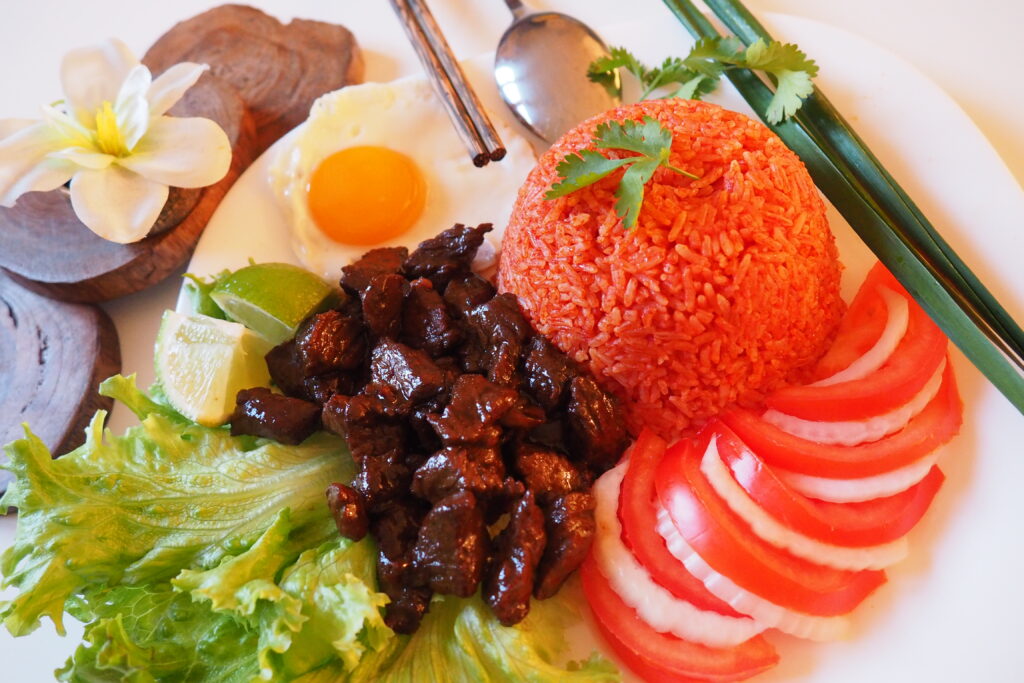
Beef lok lak
€13.50Choose your sauce
Onigirice
Service keeps moving. Information follows.
Every screen has a clear job while working from the same order: less re-entry, fewer back-and-forths and better-informed teams.
02 · Production
The kitchen sees what matters.
Preparation is organised by station, with pagers, printing and preparation statuses that make the rush easier to read.03 · Checkout
Keep the counter moving.
Scanner, multiple payment methods, refunds, close-out and accounting exports stay close at hand without getting in the way of selling.04 · Hardware
Do not replace equipment needlessly.
The local agent links authorised USB or network printers to each venue and routes tickets to the right workstation.Modular by nature.
Start with the essentials. Enable more when you need it.
01
Website & Click & Collect
A mobile-first menu for fast ordering, with collection, delivery, time slots and customer tracking.
02
Checkout
Touch payment, scanner, receipts, refunds and close-out in a counter-ready view.
03
Kitchen
Orders arrive by station, are prepared, printed and marked ready without unnecessary noise.
04
Kiosk
An immersive journey with suggestions, pagers, loyalty and customer receipts, adapted to your sales flow.
05
Dining & delivery
Floor plan, tables, QR codes and driver tracking when your service needs them.
06
Control & customers
Catalogue, availability, loyalty, accounting exports and analytics together for better decisions.
Onigirice Services
Keep compatible equipment. Add what is missing.
The local print agent connects web tools to printers configured on site, over USB or the network. Reuse compatible equipment after testing printing, scanning, touch input and cutting. Pagers are optional; automated paging depends on the model and its interface.
Touch checkout
Ordering kiosk
Printer & scanner
Keep your compatible equipment. Add only what you need.
Every business has its rhythm
Built for each venue’s pace.
Restaurant & quick service
Dine-in, takeaway and Click & Collect in the same flow.
Food truck
A compact interface for checkout and preparation tracking. Validate connectivity and backup needs before the first service.
Catering
Import a menu, organise production and print product labels.
Counter & fast sales
Shorter queues through a kiosk, smooth collection and better-informed teams.
From idea to first service
Ready to start. Ready to grow.
Configure
Enable only the modules you need, import the menu and set your journeys.
Equip
Pair compatible agents by code or QR, select printers and test receipt routing.
Launch
Test a complete order before opening. Plan updates according to the operating system and available packages.
Your brand stays in control.
Start with the restaurant template and team tools on separate URLs. Already have a website? We scope a custom integration using existing APIs, validating authentication, data and customer journeys. This is not a universal plug-and-play connector.
Three uses. Clear boundaries.
Connected daily operations
Cloud tools share the catalogue and orders. Enable the modules you need: customer website, checkout, kitchen, kiosk, dining or delivery. The restaurant site always accompanies the tools; the product showcase can run alone.
On-site printing
A local agent receives tickets and sends them to authorised printers at the venue. The agent alone is not an offline checkout server.
Autonomous backup: pilot
The local engine is experimental and for testing only. It does not yet replace cloud sales, close-outs or reporting. A PWA alone does not guarantee checkout-to-kitchen continuity without Internet.
FAQ
Frequently asked questions
Is NiamApp POS software or a kiosk?+
It is modular: use checkout on its own, or add kitchen, kiosk, online ordering, dining and delivery for your venue.
Can I keep my printer or scanner?+
Yes, after on-site compatibility validation. The local agent detects and links authorised USB or network printers; printing and cutting must always be tested with your hardware.
Can the kiosk send orders directly to the kitchen?+
Yes. The journey is configurable: kiosk to kitchen, kiosk to checkout then kitchen, or kitchen before deferred payment.
Does NiamApp work without internet?+
Cloud tools require a connection. The local autonomous mode is currently a pilot to test: a PWA alone does not yet guarantee checkout-to-kitchen continuity during an outage.
Onigirice Studio
Your idea. Our playground.
A new concept, a specific journey, hardware to connect? Build your project on a modular foundation, without starting from scratch.
A project that must hold up during the rush?
Let’s build a service that fits you.
Discuss my projectContact
Let’s discuss your project.
Tell us about your venue, workflow or idea. We will get back to you shortly.
david@it8-solutions.com